Copinance OS
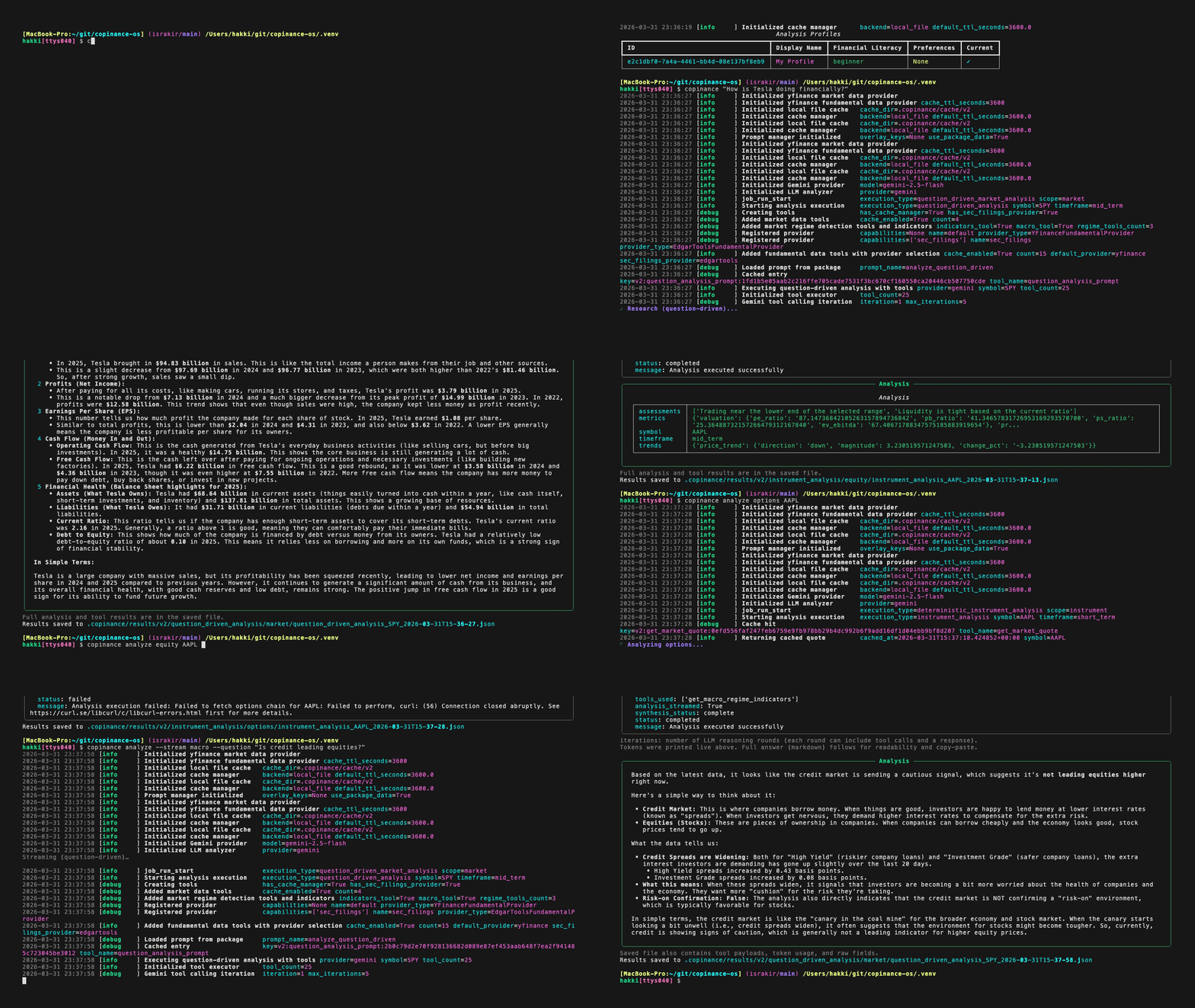
Copinance OS is an open-source market analysis platform and financial research operating system. You get two things in one: repeatable, number-driven analysis (same inputs → same structured outputs) and, when you want it, natural-language research where a model uses the same data and calculators to answer questions—not to guess prices or macro figures.
The product vision is in the Manifesto on the repository: research that meets people at their literacy level, with clear assumptions and traceable methodology.
What this system is
| Idea | What it means |
|---|---|
| Numbers first | Prices, history, fundamentals, volatility context, macro series, and options analytics (including QuantLib-based Greeks where applicable) are produced by ordinary code paths you can test and inspect. The system favors structured results over free-form blobs so every run is auditable. |
| AI as a narrator and researcher, not a calculator | Language models summarize, compare, and answer questions by calling tools that pull or compute real data (markets, macro, filings when configured). The model is not the authority for quotes, Greeks, or economic prints—it grounds answers in what the tools return. You can plug in different cloud or local models (Gemini, OpenAI, Ollama). |
| One pipeline for terminal and code | Whether someone runs a command in the shell or your app calls the library, the same orchestration path runs the analysis. That keeps behavior consistent and avoids “CLI magic” that does not exist in code. |
| A real command-line, not only a Python import | After install, you use the copinance command for analysis, market lookups, profiles, and cache. You can also type a research question directly (no subcommand) for a broad, tool-assisted answer. Machine-readable output, token streaming, and optional prompt capture are available where documented in the CLI reference. |
| Swappable pieces | Data sources, tools, and execution backends are treated as replaceable components behind stable interfaces, so you can extend the system without rewriting the core. |
Capabilities at a glance
- Audience-aware explanations — Analysis can be tuned to financial literacy (from plain-language to technical). This is context for wording, not a login system; your product still owns user identity if you need it.
- Two ways to run analysis — Fixed pipelines (walk through defined steps every time) and question-driven runs (the model picks which data and analysis tools to use for your question). Back-and-forth conversations with memory are supported when you use the Python library, not as a single CLI session—see the library guide.
- Macro and regime in one place — Broad economic and market-stress indicators (rates, credit, labor, housing, and more) sit alongside single-name and options work.
- Shared caching — Fetches used during CLI market commands and during analysis can reuse the same cache, so repeated work is cheaper. You can inspect and clear cache from the CLI.
- Research-shaped output — Successful runs can include a standard report shape: summary, metrics, methodology, assumptions, and limitations—so outputs read like research, not only raw JSON.
- License — Apache 2.0.
How the codebase is organized (mental model)
Think in areas of responsibility rather than file names: contracts and business meaning live in one place; wiring and configuration in another; raw data access and caching in another; orchestration and tool pipelines in another; LLM adapters in another; CLI (and optional HTTP) at the edge. The Architecture page has the full package tree and labels for what is stable versus still evolving.
Quick links
| I want to… | Go to |
|---|---|
| Install and run a first analysis | Installation → Quick Start |
| Use the CLI (options, JSON output, streaming) | CLI Reference |
| Integrate in an application | Using as a Library |
| Keys, cache, storage, EDGAR identity, options/Greeks settings | Configuration |
| Deterministic vs question-driven behavior | Analysis modes |
| BSM Greeks and chain metadata | Options & Greeks |
| Extend providers, tools, or executors | Architecture, Extending, Data provider interfaces |
Core concepts
These ideas show up everywhere—in the CLI, in the library, and in the docs. For API names and types, follow the links to Analysis modes, Using as a Library, and Architecture.
Separation of concerns: who does what?
Data layer — Brings the outside world in: market feeds, macro series, filings, caches, and validation. It should not embed your portfolio strategy or “what this means for investors” in hidden logic.
Domain layer — The meaning of the analysis: indicators, rules, job definitions, and report shapes. This is where you want deterministic, testable behavior.
Execution layer — Runs a study end-to-end: picks the right pipeline, connects tools, and hands results back in a consistent envelope. The CLI and your app both call into this layer so users get the same behavior.
AI layer — Language and reasoning over artifacts: summarizing tool outputs, answering follow-ups, and choosing which tool to call next in question-driven mode. It does not silently replace the pricing or statistics implemented elsewhere.
Interfaces — How humans or services trigger runs: the terminal command-line today, optionally an HTTP API later. Thin wrappers—no duplicate business logic.
Why “contracts” matter
The system wants clear handoffs between parts: what a quote looks like, what a run result contains, what a report must include. That discipline is what makes outputs reproducible and safe to build on (including for automation and tests), rather than ad hoc tables passed around unnamed.
Analysis profile: who is this for?
An analysis profile captures how much finance jargon the reader is comfortable with and any preferences you define. It is not a user account: Copinance does not authenticate people. If you ship a product, you map your users to profiles yourself.
Zoom level: one name vs the whole market
Some runs focus on a single symbol (stock or options context). Others focus on the market backdrop—an index as a reference, macro and stress indicators, breadth, and similar big-picture signals. You choose the zoom level to match the question.
Time horizon
Analysis can emphasize short, medium, or long horizons—roughly “what moved lately,” “what the last few quarters look like,” and “what the longer arc suggests.” That affects how much history is pulled and what gets emphasized in the narrative.
Three ways to choose how a run works
- Automatic — If you asked a question, the system assumes you want question-driven help; if you did not, it runs the fixed pipeline.
- Fixed pipeline only — Same steps every time: ideal when you want repeatable checks or dashboards.
- Question-driven only — The model must use tools to answer; ideal when the user’s wording is open-ended.
Under the hood, these choices route to different execution paths; the Analysis modes page names them precisely for developers.
Deterministic analysis (the “recipe”)
You get a defined sequence: fetch context, compute summaries, attach metrics. No language model is required. Outputs are structured so you can diff runs, alert on them, or feed them to a report.
Question-driven analysis (the “research assistant”)
You ask in natural language. The system loops: the model may request data or computations through tools, see the results, then write an answer. Streaming shows text as it is generated; machine-readable JSON is for scripts and CI. The terminal is built for one question per invocation; multi-turn dialog (with prior Q&A) is a library feature so your application controls session state.
What comes back from a run
You always get a clear success or failure. On success, there is structured payload (numbers, tables, tool traces as applicable) and often a written report in a fixed shape: summary, key metrics, methodology, assumptions, and limitations—so readers know what was assumed and what was not.
One front door for “run this study”
Rather than calling internal pieces in the right order by hand, the design favors one orchestration entry: describe what you want analyzed (scope, horizon, mode), and the system routes to the right pipeline. Advanced users can swap how jobs are dispatched (e.g. queues or retries) without rewriting the analyzers themselves—details in the library and architecture docs.
Full study vs small lookups
You can run a full analysis job (the whole story for a symbol or the market) or use narrower operations—a quote, a search, a history pull—when you only need a building block. Same container and configuration, different granularity.
Tools: the model uses your calculators
In question-driven mode, tools are the bridge: they expose the same data and logic the deterministic paths use. That way the model cannot “invent” a number that the system would not also compute when asked directly. Tool sets are composed from PluginSpec bundles, optional setuptools entry points, and an optional package scan—see Tools and bundles and Architecture.
Where data lives and how it is reused
Providers are the sources (markets, macro agencies, filings). Caching avoids hammering APIs when the CLI or a repeated analysis asks for the same thing. Local artifacts (saved results, cache files) live under a project .copinance area by default—they are not a full product database; you still store user data and long-term history where you choose.
Configuration: knobs, not philosophy
Keys, endpoints, storage paths, and model choices are configuration. They change who you talk to and where files go, not the core definition of a PE ratio or a regime indicator.
Growing the system safely
New feeds, new tools, and new executors plug in through interfaces so the core stays small. That is how you add a data vendor or a custom strategy without forking the project—see Extending.
Help and community
- Issues — bugs and features
- Discussions — questions and ideas